⚙️ Settings & Preferences
Share Usage Data
Help us improve Folio by enabling anonymous data sharing. This data doesn't include your personal or private information—only anonymous usage data that helps us enhance Folio.
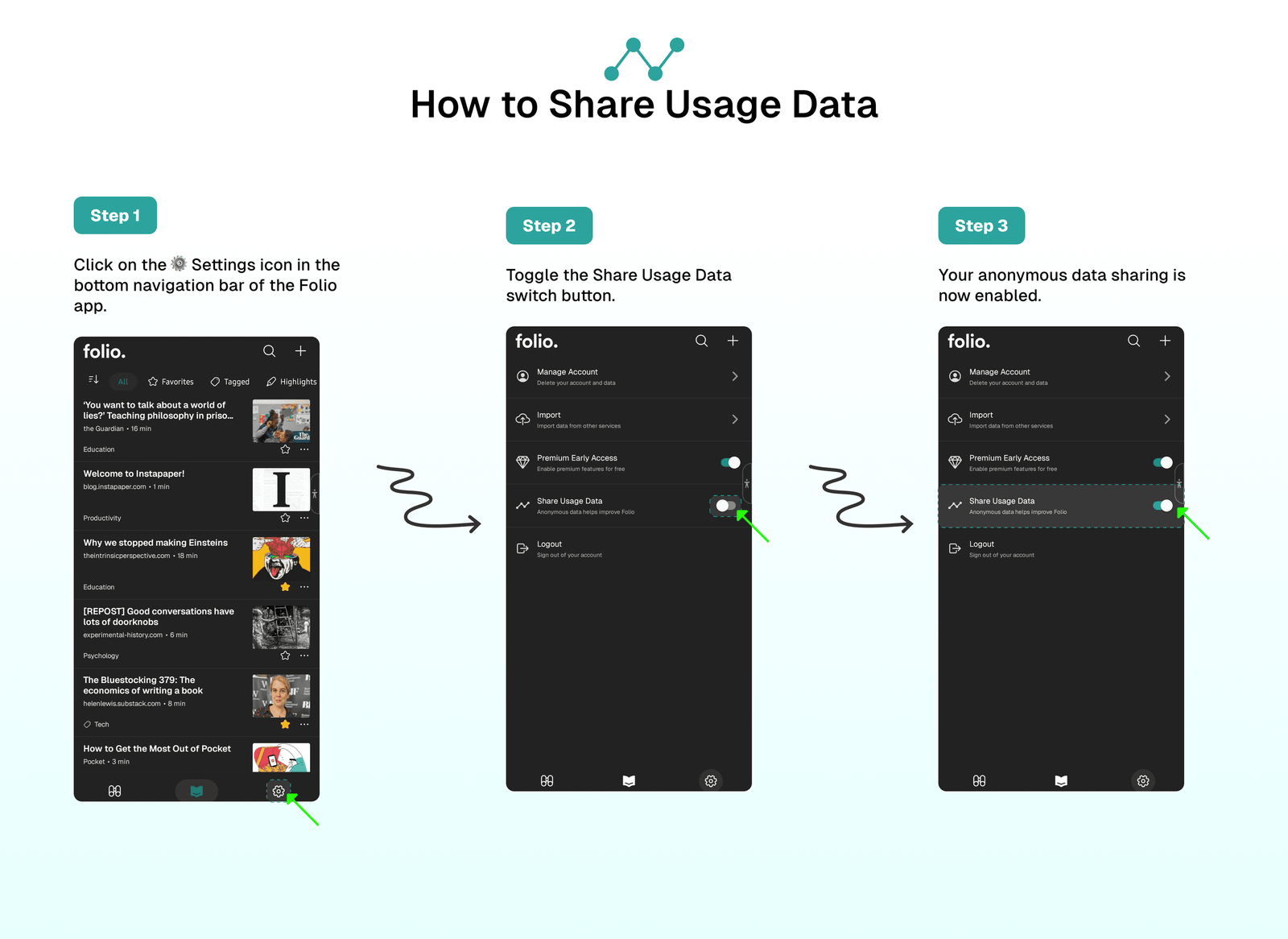
How to Share Usage Data
To share usage data with Folio:
- Click on the
⚙️Settings icon in the bottom navigation bar of the Folio app. - Toggle the
Share Usage Dataswitch button. - Click
Saveto save your changes. - Your anonymous data sharing is now enabled.
⁉️ FAQs
Last updated on