⚙️ Settings & Preferences
Logout
Discover how to quickly sign out from your Folio account.
How to Sign Out from Folio
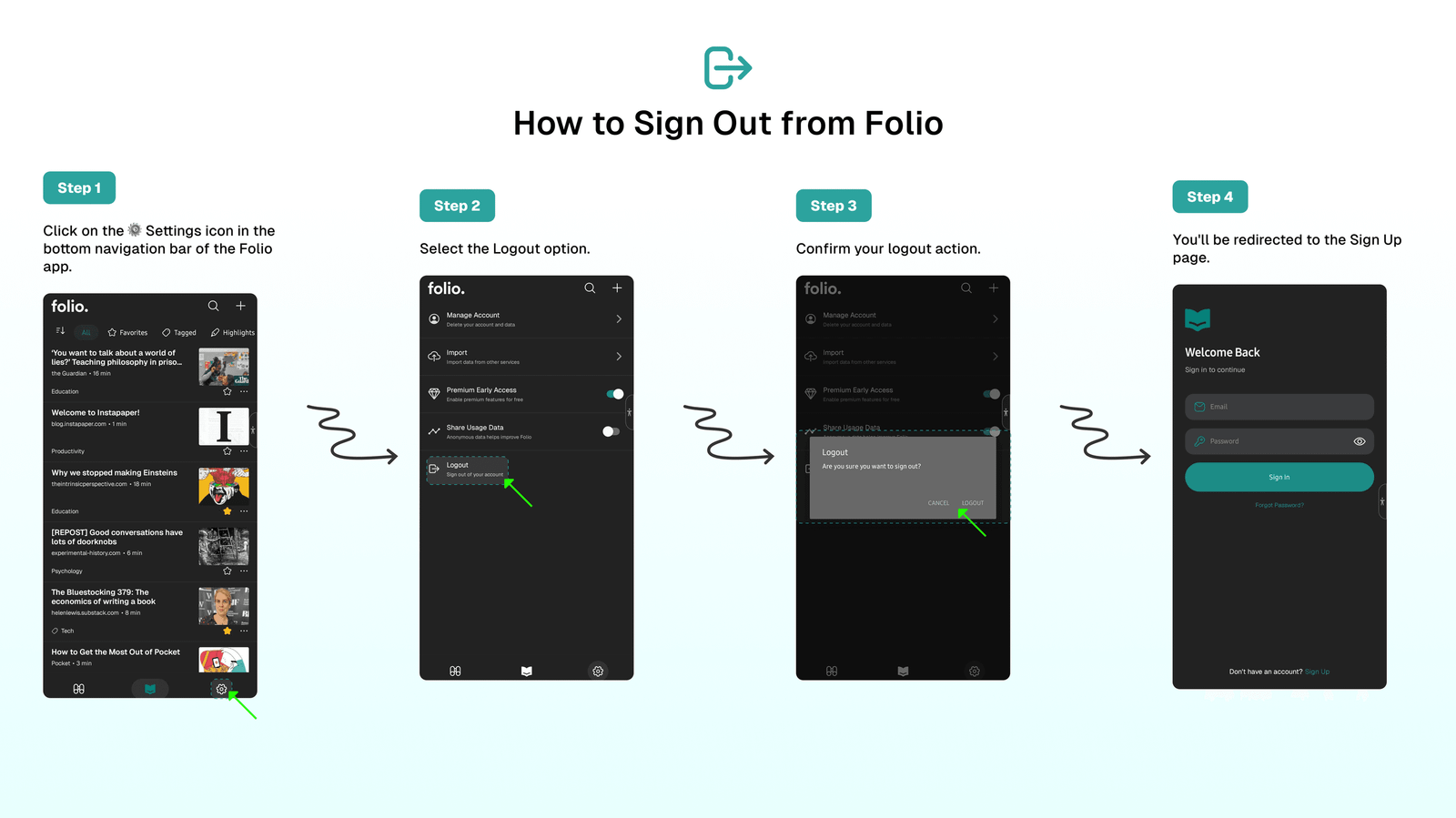
To sign out from your Folio account:
- Click on the
⚙️Settings icon in the bottom navigation bar of the Folio app. - Select the
Logoutoption. - Confirm your logout action.
- You'll be redirected to the Sign Up page.
⁉️ FAQs
Last updated on
Share Usage Data
Help us improve Folio by enabling anonymous data sharing. This data doesn't include your personal or private information—only anonymous usage data that helps us enhance Folio.
⁉️ FAQs
Find answers to frequently asked questions about Folio Reader, Folio Discover, and Getting Started with Folio.