Sign Up & Login to Folio
Get started quickly with Folio by signing up to access the app and unlock the power of save now - read later Folio features.
✉️ How to Sign Up for Folio
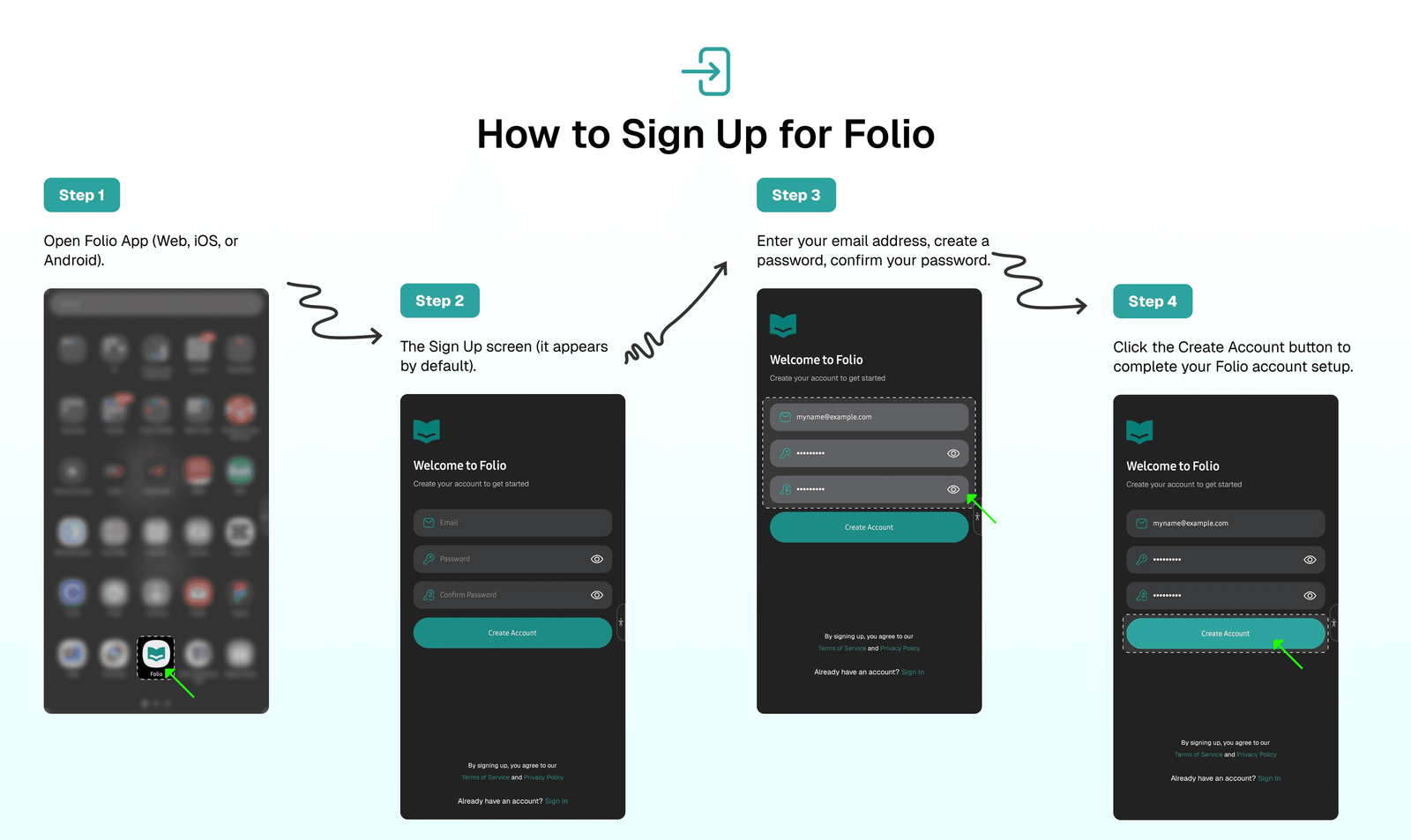
Follow these steps to create a new Folio account:
- Open Folio App (Web, iOS, or Android).
- Look for the Sign Up screen (it appears by default).
- Enter your
✉️ Emailaddress. - Create a
🔑 Password. - Confirm your
🔐 Password.
Finally, click the Create Account button to complete your Folio account setup.
📥 How to Login for Folio
Tip
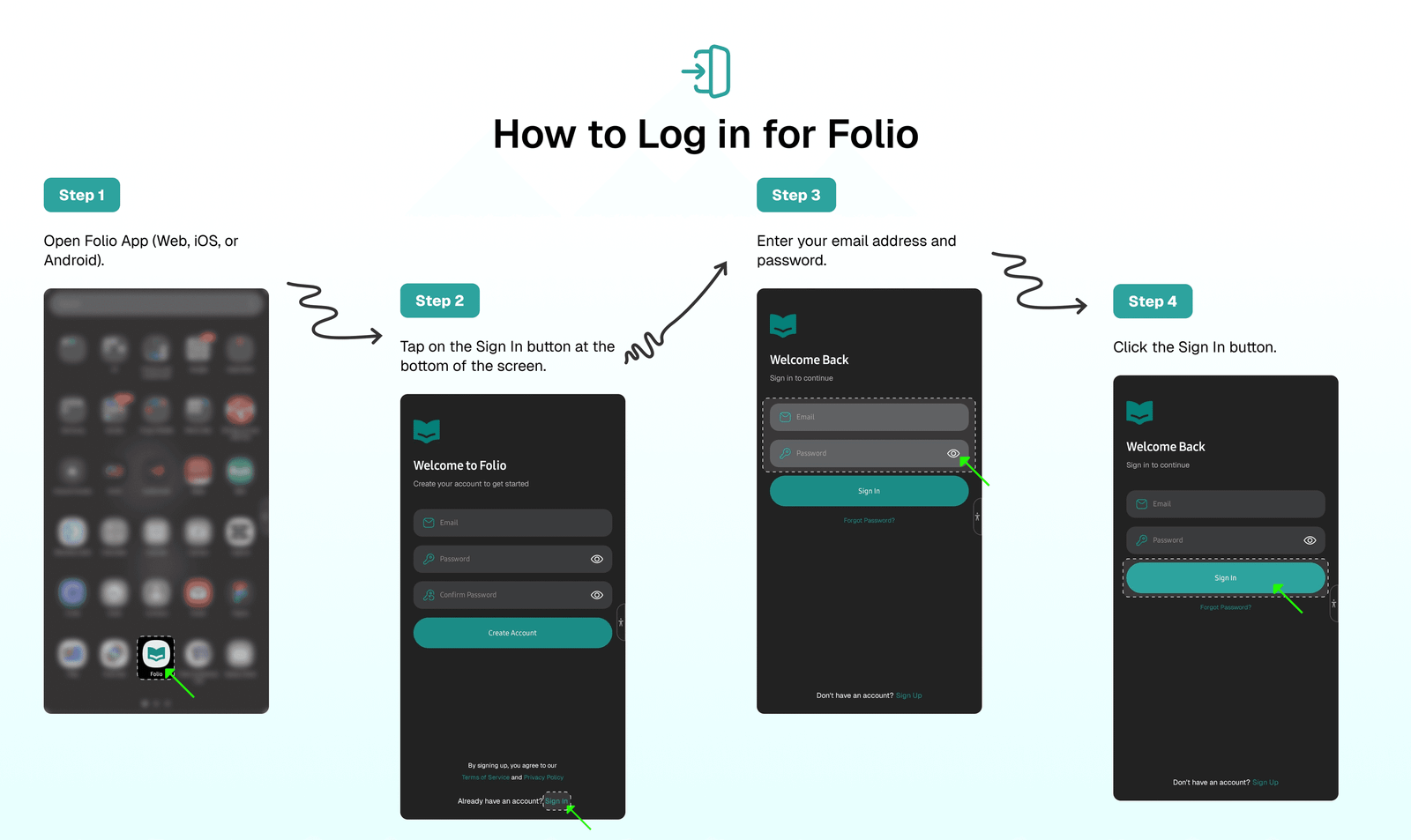
The app saves your login session after you successfully sign in for the first time, so you don't need to sign in every time you access the app.
Signing in is straightforward. Simply enter your ✉️ Email and 🔑 Password, then click the Sign In button.
🔐 Forgot Password
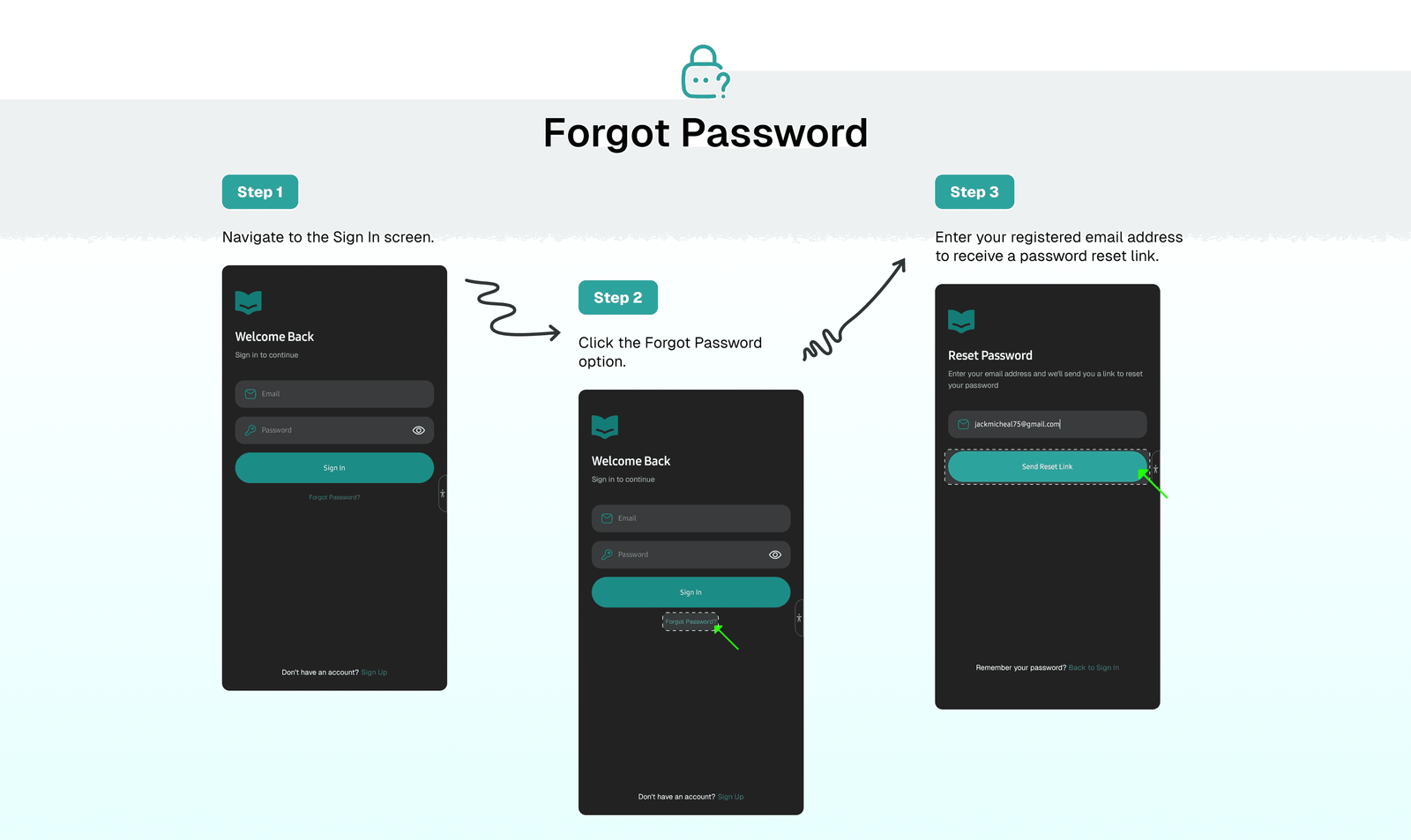
To reset your password:
- Navigate to the Sign In screen.
- Click the
Forgot Passwordoption. - Enter your registered email address to receive a password reset link.
- Check your inbox or spam folder for the email.
- Click on the reset link in the email.
- Enter and confirm your new password.
⁉️ FAQs
Last updated on
Download & Install Folio
Learn how to find, download, and install the Folio app on Android, iOS, or iPad, or use the web version or browser extensions for Chrome, Firefox, Edge, and Safari.
Import & Sync Your Saves
Get started quickly by importing all your content from Pocket, Instapaper, Matter, Raindrop.io, or Readwise Reader.