🔄 Import & Sync To Folio
Import from Matter (.ZIP or .CSV)
Learn how to import your saved content from Matter as a CSV file and import it to your Folio account.
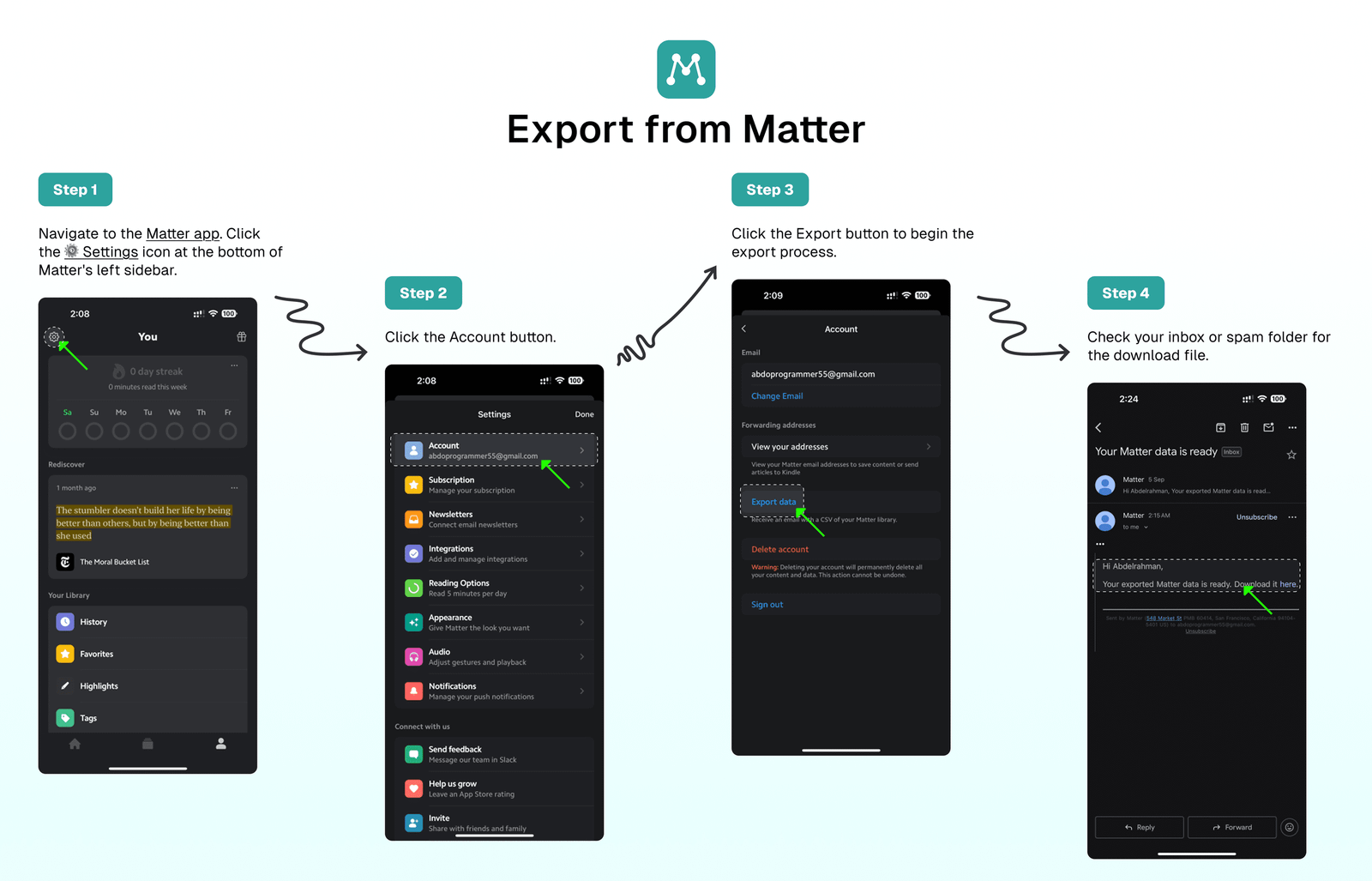
Export from Matter
To export your saved content from Matter as a CSV file and receive it via email, follow these steps:
- Navigate to the Matter app.
- Click the
⚙️Settings icon at the bottom of Matter's left sidebar. - Click the
Exportbutton to begin the export process. - Check your inbox or spam folder for the download file.
Import to Folio
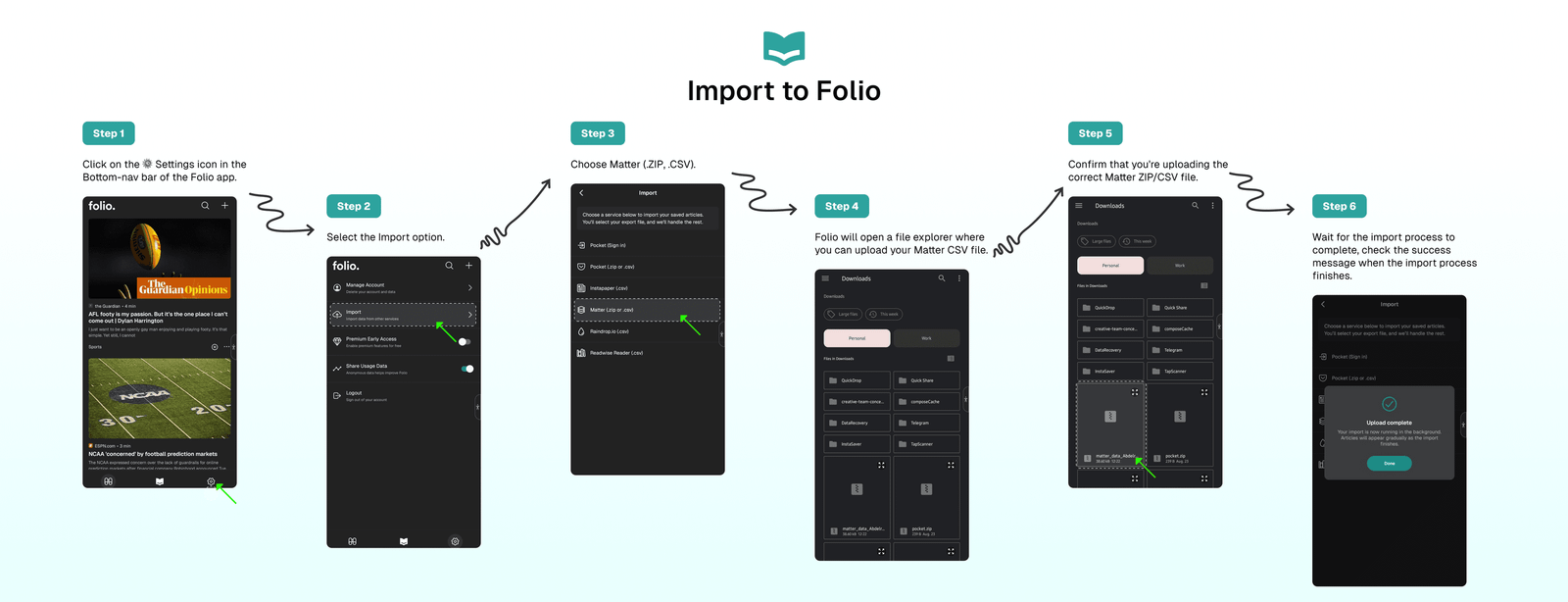
Once you've received the Matter CSV file in your email, follow these steps to import your Matter saves to Folio:
- Click the
⚙️ Settingsicon in the Folio app's bottom navigation bar. - Select the
Importoption from the Settings page. - Choose
Matter (.ZIP, .CSV). - Folio will open a file explorer where you can upload your
Matter CSVfile. - Confirm that you're uploading the correct Instapaper CSV file.
- Wait for the import process to complete.
- Check the success message when the import process finishes.
⁉️ FAQs
Last updated on