🔍 Folio Discover
Share from Discover
Learn how to share items from Folio Discover with any user to access the original content through the sharing link.
🔗 How to Share Content from Folio Discover
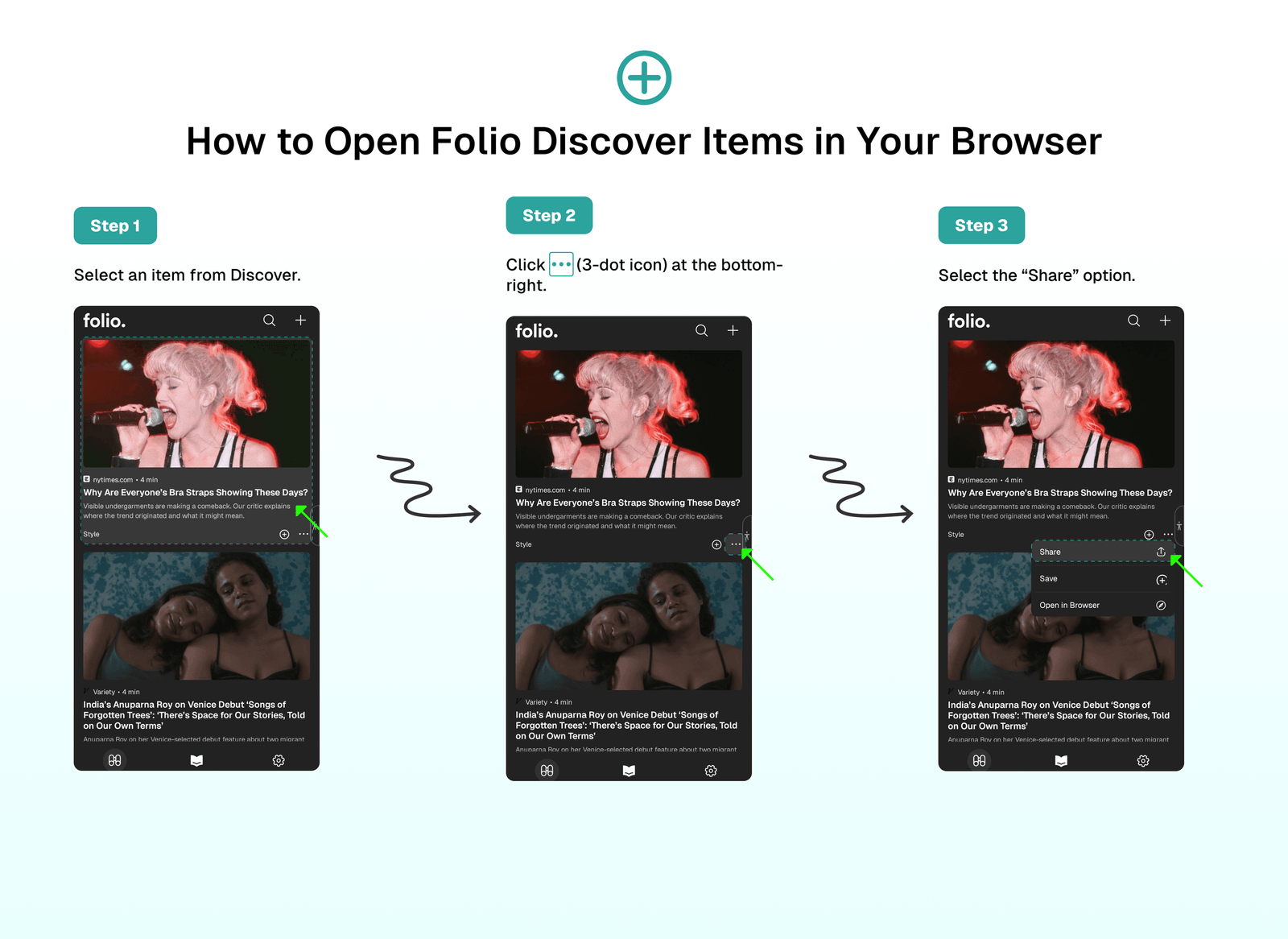
You can share any item from Folio Discover with other users:
- Select an item from Discover.
- Click
...(3-dot icon) at the bottom-right. - Select the
Shareoption.
📤 Sharing Options
When you select the Share option, you will see several sharing methods:
- Copy Link: Copies the article link to your clipboard for easy sharing.
- Share via
...: Opens the native sharing options on your device, allowing you to share the link through various apps and services.
⁉️ FAQs
Last updated on